
ECZ-ID MCP Trust · VS Code
See what your MCP servers expose.Know what changed.Control the ones that matter.
Local-first MCP visibility, change intelligence and optional runtime control. A free VS Code extension that inventories every MCP server your workspace declares and tells you exactly what moved against a baseline you accept. No account to inspect. No telemetry. No source, prompts or secret values uploaded.
Free forever, no account. Also on Open VSX · Already purchased? Activate
Discover, inspect and track change across every MCP server you work with. Free forever, no account.
or £119/year. Keep the history, see deeper tool and schema change, cut credential exposure, and mediate locally.
MCP Trust Pro and Agent Trust Pro on one licence — £19.99/month or £199/year. See what it includes →
The problem
Configuration is readable. Reach is not.
Everything below is visible in principle and invisible in practice, because nothing in the editor puts it in one place.
You cannot see what a server declares
An MCP entry is a command, some args and an env block. Nothing in your editor tells you which credential-shaped variables it will be handed, or whether it reaches a remote endpoint.
Servers change under you
A tool set can change shape between one session and the next. Without a baseline there is nothing to compare against, so a quiet change looks identical to no change at all.
Review does not survive contact with runtime
Reading a config tells you what was declared. It does not tell you what a session actually did. Inspection alone can never report enforcement honestly.
What you get back
A per-server X-Ray, in plain English.
One command inventories every MCP server your workspace declares. There is no score and no pass/fail — you get the evidence and your local policy decides.
- MCP X-Ray. Finds the MCP servers your workspace declares and inventories each one: transport, command basename, argument shape, sanitised remote endpoint and sandbox declaration.
- Supported configuration discovery. .vscode/mcp.json, .mcp.json, .mcp/ (JSON, YAML, TOML), mcp.json, mcp.config.*, a declared ecz-mcp.json, and a Claude Desktop config inside the open workspace. JSONC is not supported.
- Trust Delta. Every check places each server in NEW, CHANGED, UNCHANGED or REMOVED against the trusted baseline you control, with the reasons that put it there.
- Trusted baseline you control. The comparison point moves only when you establish a new trusted baseline, and you see how many changes you are accepting first. Scanning twice never silently absorbs a change.
- Credential-shaped key names. Environment variable NAMES only, with credential-shaped names flagged. Secret values are never displayed, retained, fingerprinted, reported or transmitted, and environment references are not resolved.
- Inspection Reason Codes and Review Priority. Every material finding carries a stable code (namespace eczid.mcp-trust.inspection.v1) and a deterministic review priority: LOW, NORMAL, ELEVATED or HIGH, with the reasons shown. Never a safety score.
MCP X-RAY  -  ECZ-ID MCP Trust
Server: github
  Source ............ .vscode/mcp.json
  Transport ......... HTTP - declared
  Remote ............ https://api.example.com/mcp (credentials/query omitted)
  Environment keys .. 2 detected; 1 credential-shaped name
  Sandbox ........... not declared
  Fingerprint ....... a1b2c3d4e5f6 (local posture fingerprint)
  Change ............ unchanged since previous local scan
Coverage: OBSERVED / UNMANAGED
Verbatim output from the shipped extension. Secret values are never displayed, retained, fingerprinted, reported or transmitted.
The first sixty seconds
Install, scan, read, compare, decide.
No account, no project setup, no configuration file to write first. Every command below is the extension’s own.
1Install
Install, open a workspace, trust it
Free from the VS Marketplace or Open VSX. No sign-in, no account.
Terminal
code --install-extension ecocitizenz.eczid-mcp-trust2Scan
Run the check
One check inventories every MCP server the workspace declares.
Command Palette
ECZ-ID MCP Trust: Check MCP Trust3Read the result
Read the MCP X-Ray
Per server, in plain English, with no verdict: what it runs, which credential-shaped key names it is handed, where it reaches. Each finding carries a Review Priority (LOW, NORMAL, ELEVATED, HIGH).
Command Palette
ECZ-ID MCP Trust: Show Findings4Understand change
Baseline, then Trust Delta
When the picture is what you expect, establish a trusted baseline. Every later check places each server in NEW, CHANGED, UNCHANGED or REMOVED against it. With no baseline it says plainly that nothing was compared.
Command Palette
ECZ-ID MCP Trust: Review changes (Trust Delta)5Next action
Choose what to do next
Export a local evidence report, request Resolver proof for a server you operate, or, with Pro, put a server behind the Local Trust Gate (Protect This MCP).
Command Palette
ECZ-ID MCP Trust: Generate local evidence report
MCP Trust Pro
Runtime-aware protection, still entirely local.
Community shows you the current picture. Pro keeps the history, inspects each tool more deeply, and can put a gate you control in front of a server.
Trust Epochs
a history of posture snapshots: compare any two, with retention you control
Advanced Tool X-Ray
per-tool inspection of declared capability and schema, so a tool that quietly changes shape between versions is visible
Local Trust Gate (Protect This MCP)
run a local gate in front of an MCP server and verify its mediation with a live proof
Deterministic local policy inside the gate
ALLOW, WARN, REVIEW, BLOCK or QUARANTINE, from rules you set
Secret Shield
minimise the environment a protected server is handed, through the gate’s Protect flow
Remediation
preview a change, apply it and roll it back, with the diff shown first
Free vs Pro
Pro adds. It never takes anything away.
If a Pro subscription lapses, only the Pro features deactivate — Community keeps working and your locally retained history stays.
| Capability | Community | MCP Trust Pro |
|---|---|---|
| MCP X-Ray: discovery and per-server inventory | Full | Full |
| Environment key NAMES + credential-shaped warnings | Full | Full |
| Sanitised remote endpoint and posture fingerprint | Full | Full |
| Trust Delta against a trusted baseline you control | Full | Full |
| Review Priority and Inspection Reason Codes | Full | Full |
| Privacy Proof, Inspection Receipt and exportable report | Full | Full |
| History of posture snapshots (Trust Epochs) | Trusted baseline | Full history, compare any two |
| Advanced Tool X-Ray (declared capability and schema) | — | Yes |
| Local Trust Gate with live mediation proof | — | Yes |
| Deterministic local policy inside the gate | — | Yes |
| Secret Shield (environment minimisation) | — | Yes |
| Remediation with diff, apply and rollback | — | Yes |
| No account to inspect, no telemetry, no source or secrets uploaded | Always | Always |
Plans
Start free. Upgrade when history matters.
Optional and separateNot required to use the free agent plugin
MCP Trust Pro is a paid edition of the VS Code extension.
Everything on this page marked Community is free, and so is the ECZ-ID MCP Trust agent plugin, which needs none of the below. Pro is a different product with its own licence: buying it adds capabilities to the VS Code extension and withholds nothing from the free plugin or from Community.
MCP Trust Community
- •MCP X-Ray
- •Supported configuration discovery
- •Trust Delta
- •Trusted baseline you control
- •Credential-shaped key names
MCP Trust Pro
- •Everything in Community
- •Trust Epochs — a history of posture snapshots: compare any two, with retention you control
- •Advanced Tool X-Ray — per-tool inspection of declared capability and schema, so a tool that quietly changes shape between versions is visible
- •Local Trust Gate (Protect This MCP) — run a local gate in front of an MCP server and verify its mediation with a live proof
- •Deterministic local policy inside the gate — ALLOW, WARN, REVIEW, BLOCK or QUARANTINE, from rules you set
- •Secret Shield — minimise the environment a protected server is handed, through the gate’s Protect flow
- •Remediation — preview a change, apply it and roll it back, with the diff shown first
Secure checkout by Shopify. Cancel any time. Already purchased? Activate here.
ECZ-ID MCP Trust is published on both registries. Install free, in your editor or from the web.
Activate the licence from your order confirmation. A Developer Trust Pro bundle key turns on both extensions.
Activate your purchase →Developer Trust Pro covers MCP Trust Pro and Agent Trust Pro on one licence key — £19.99/month or £199/year, less than the two Pro plans separately.
Free agent pluginNo purchase required
ECZ-ID MCP Trust is a free agent plugin.
No account, no sign-in, no licence key, no trial and no paywall. Every capability it has works in full the moment you install it, in whatever host you run it in. It is open source under the MIT licence.
It answers one question: What can the MCP servers in this workspace reach, and what has public proof?
- A filename-and-path-only review of the MCP evidence in a workspace you choose, reporting EVIDENCE OBSERVED and EVIDENCE NOT OBSERVED with a deterministic Review Priority and the reasons for it.
- Three read-only ECZ-ID Verifier tools, in hosts that run local MCP servers, for checking a public proof reference against the Resolver.
- Guidance on what to review next, and where the public record lives.
/plugin marketplace add Ecocitizenz/eczid-agent-plugins
/plugin install eczid-mcp-trust@eczid-plugins
VS Code, GitHub Copilot and any Agent Skills host are on the plugins page. None of those routes asks for payment, an account or a key.
ECZ-ID MCP Trust for VS Code (Community) runs the same detectors locally and is free forever, with no account. Marketplace ↗ · Open VSX ↗
Everything priced on this page is optional and separate. MCP Trust Pro, a paid edition of the separate VS Code extension. It adds history, deeper analysis and an optional Local Trust Gate. None of it is required. The plugin is complete without it, nothing the plugin does is withheld until you buy anything, and the plugin never runs checkout, sells a subscription or grants entitlement.
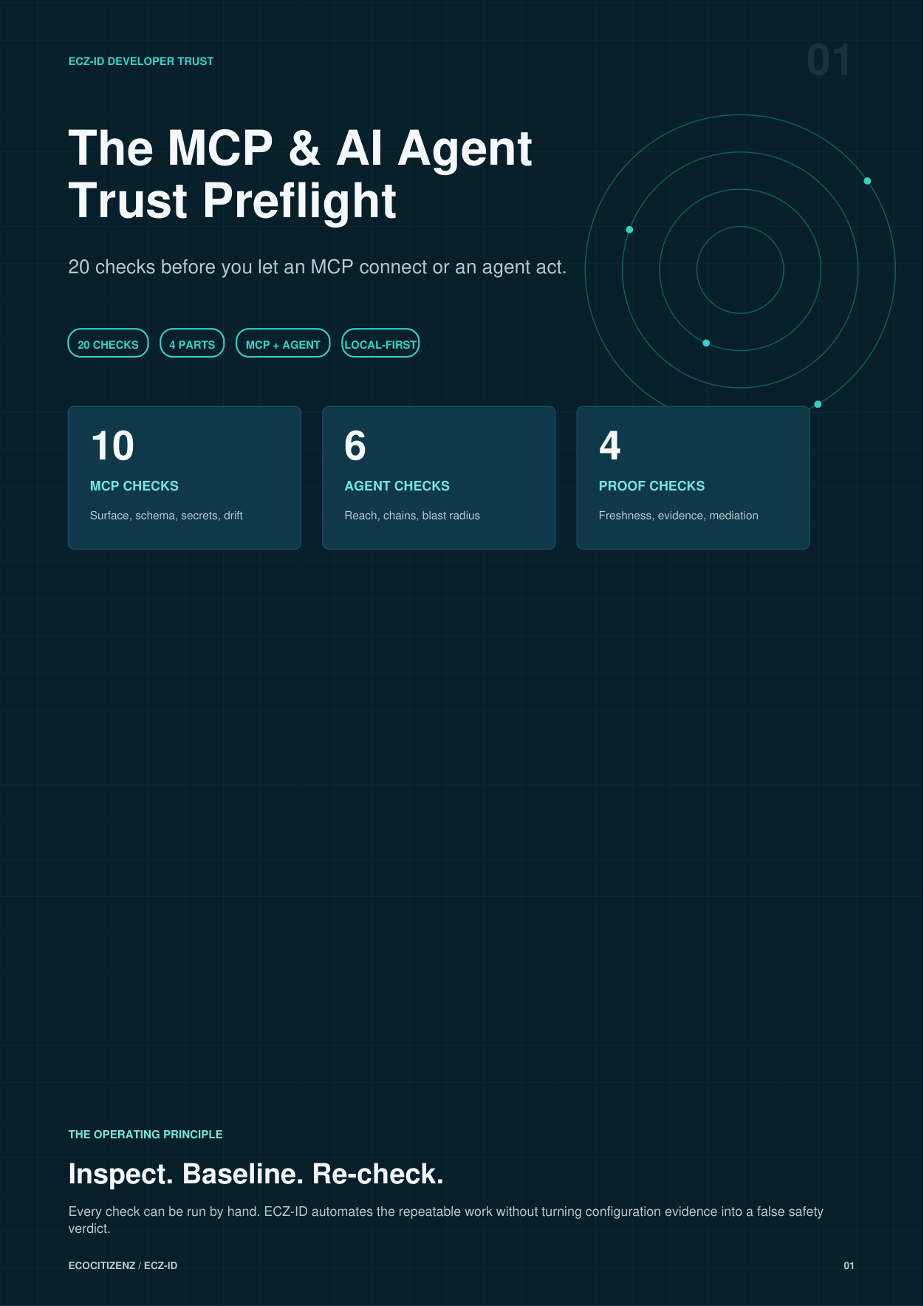
Free resource · 10 pages · no email required
Free MCP & AI Agent Trust Preflight
20 checks before you let an MCP server connect or an agent act: 10 on the MCP surface, schemas, secrets and drift; 6 on agent reach and chains; 4 on proof and mediation. One vendor-neutral PDF covering both sides, useful whether or not you install anything.
Runs with or without our extensions. Nothing to sign up for.
Questions
Before you install.
Does it connect to or run my MCP servers?
Community: no. Inventory comes from configuration files only — it never starts a process, never connects to a server and never makes a tool call, and coverage is always labelled OBSERVED / UNMANAGED. Pro: only if you explicitly start the Local Trust Gate, which binds a 127.0.0.1 endpoint or spawns a local wrapper and relays that session to the upstream server you already configured.
When does coverage say ENFORCED?
Only while a live local gate session is genuinely mediating that server, evidenced by a live mediation proof. A stopped, dead, stale or mismatched gate reads OBSERVED. Inspection alone can never produce ENFORCED.
Is this a certification or an approval?
No. It surfaces posture and shows you the evidence behind it. There is no pass/fail. Your local policy decides what is sufficient, and you should re-check before reliance.
Is the free version time-limited or a trial?
No. Community is free permanently and needs no account. Pro adds to Community; it never removes anything. If a Pro subscription lapses, only the Pro features deactivate and your locally retained history stays where it is.
Does any of my code or configuration get uploaded?
No. No source, prompts, tool arguments, tool results or secret values are uploaded, and there is no telemetry. Community makes no background outbound requests; links you choose open in your browser. If you start the Pro Local Trust Gate, it binds to 127.0.0.1 and talks only to the MCP upstream you already configured. Results carry names, counts, states and local fingerprints only.
Does it read my environment variable values?
Never. Environment variable NAMES are inventoried so you can review intended exposure; values are not read into results, displayed, retained or transmitted. The posture fingerprint is deliberately invariant to secret rotation.
I already paid. How do I turn Pro on?
Use the activation page and paste the licence from your order confirmation. The bundle licence activates both extensions. Activation is verified locally with asymmetric cryptography and the token is never displayed or transmitted.
Can I cancel?
Yes, at any time, from your account. Checkout and billing are handled by Shopify; this site runs no checkout of its own.
Need a human-led review instead of a tool? MCP Readiness Audit (£395) is a separate service, sold in TrustOps. It is not what this extension does.
Free · no purchase needed
Operate an MCP server or an agent? Give it an ECZ-ID Passport.
The extensions inspect systems from the outside — the position you are in when you consume someone else's server or agent. If you operate one, you are on the other side of that question, and the people evaluating you want something they can check without asking you. An ECZ-ID Passport establishes a reusable identity with a public presence on the Resolver.
- Free, non-sellable, and needs only a DECLARED Parent
- A reusable machine-readable identity, not a one-off badge
- Public, read-only Resolver presence others can check
Passport issuance is an ECZ-ID platform service, not a function of the VS Code extensions. The extensions inspect and route; they never issue proof themselves.
The ECZ-ID estate
These extensions are one surface of a machine-trust infrastructure layer.
Identity, public proof and verifiable posture for the systems that now call each other without a human in the loop.