
ECZ-ID Agent Trust · VS Code
Know what your AI agents can reach.See how their authority changes before they act.
Local-first agent visibility and authority intelligence. A free VS Code extension that discovers the agent surfaces in your workspace, inventories what each one declares and reports what changed. No source, prompts, tool arguments, tool results or secret values are uploaded. No account. No telemetry.
Free forever, no account. Also on Open VSX · Already purchased? Activate
Discover agent surfaces, see declared tools and reach, and track what changed. Free forever, no account.
or £119/year. Map full authority, expose consequential action chains, and keep the history.
MCP Trust Pro and Agent Trust Pro on one licence — £19.99/month or £199/year. See what it includes →
The problem
Configuration is readable. Reach is not.
Everything below is visible in principle and invisible in practice, because nothing in the editor puts it in one place.
Declared tools are not the whole reach
An agent’s real authority is its tools plus the MCP servers in the same workspace plus the credential names it is handed. Read separately, each looks reasonable.
Capability chains hide between findings
Credential access is fine. External send is fine. Credential access followed by external send is the thing you wanted to catch, and a per-finding list will never show it.
Permission creep is invisible
Agent surfaces gain tools and reach over time. Without retained snapshots you cannot answer the only question that matters at review: what changed?
What you get back
Agent X-Ray and change detection, free.
A scan you run inventories each agent surface and tells you what moved since last time. Posture is neutral — there is no acceptable/unacceptable verdict.
- Agent X-Ray. Discovers the agents your workspace declares and content-inspects JSON agent surfaces (manifests, tool and action specs, ecz-agent.json) into a per-agent inventory. YAML and other formats are labelled observed-by-filename-only.
- Declared tools and actions. The tool, function and action names each agent surface declares.
- Framework visibility. Filename-based labels for LangChain and LangGraph, CrewAI, AutoGen, Semantic Kernel, LlamaIndex, OpenAI and Anthropic surfaces.
- Workspace MCP relationships. The MCP servers declared in the same workspace. Per-agent binding is not asserted.
- Credential-shaped key names. Environment variable NAMES only; values are never read into results. Credential-shaped names are flagged.
- Change detection. One local baseline per workspace; the next scan reports the tools, key names, frameworks and MCP relationships that changed.
ECZ-ID Agent Trust  -  2 agent surfaces
- agent.yaml ........... no ecz-agent.json reference found yet
- mcp tool config ...... resolver reference present
Posture: neutral - local policy decides, re-check before reliance
Verbatim output from the shipped extension. Environment variable values are never read into results.
The first sixty seconds
Install, scan, read, re-scan, decide.
No account, no agent framework to adopt, no manifest to write first. Every command below is the extension’s own.
1Install
Install, open a workspace, trust it
Free from the VS Marketplace or Open VSX. No sign-in, no account.
Terminal
code --install-extension ecocitizenz.eczid-ai-agents2Scan
Scan the workspace
Agent manifests, framework configs, tool specs and MCP tool configuration, inventoried per surface.
Command Palette
ECZ-ID Agent Trust: Scan Workspace3Read the result
Read the Agent X-Ray
Tool names, environment key names (never values), framework labels and MCP relationships, worded as posture: there is no pass or fail.
Command Palette
ECZ-ID Agent Trust: Show Findings4Understand change
Re-scan before you grant access
One local baseline per workspace, replaced on each scan, so the next scan reports which tools, keys, frameworks and MCP relationships moved. Pro adds Authority Epochs to compare any two points in time.
Command Palette
ECZ-ID Agent Trust: Scan Workspace5Next action
Choose what to do next
Validate or scaffold an ecz-agent.json, export a local evidence report, or request Resolver proof for an agent you operate. Pro unlocks the Authority Graph.
Command Palette
ECZ-ID Agent Trust: Validate or Scaffold ecz-agent.json
Agent Trust Pro
The whole reach, not a list of declarations.
Everything below is computed locally from discovered evidence, and every node and edge shows the evidence it came from.
Authority Graph
Every agent, tool, MCP target, API origin, credential key NAME, declared permission and capability signal in one graph. Each node and edge carries the evidence it came from. No trust score is computed.
Dangerous action chains
Deterministic indicators for chains such as credential access to external send, filesystem access to network send, package mutation to deployment. Each shows its nodes, reason, evidence and a remediation suggestion.
Authority Epochs
Retained local snapshots, compare any two: added or removed authority, permission expansion, new MCP references, new API origins, new credential-key exposure, new destructive capability.
Reachability
What an agent can actually get to, read as reach rather than as a list of declarations — because the declarations only mean something together.
Credential-key-name analysis
Which credential-shaped names each surface is handed, and when that set changes. Names only, never values.
Reciprocal Agent-to-MCP view
The same relationship read from both ends, with truthful coverage. "ENFORCED VIA LOCAL TRUST GATE" is shown by ECZ-ID MCP Trust when it holds a live gate session; Resolver public proof stays separate.
Free vs Pro
Pro adds. It never takes anything away.
If a Pro subscription lapses, only the Pro features deactivate — Community keeps working and your locally retained history stays.
| Capability | Community | Agent Trust Pro |
|---|---|---|
| Agent X-Ray: discovery and per-agent inventory | Full | Full |
| Declared tool names and environment key NAMES | Full | Full |
| Framework visibility and workspace MCP relationships | Full | Full |
| Exportable local evidence report | Full | Full |
| Change since your previous scan | One baseline | Full history, compare any two |
| Authority Graph across tools, MCP targets and credential names | — | Yes |
| Dangerous action-chain indicators | — | Yes |
| Authority Epochs with retention you control | — | Yes |
| Reciprocal Agent ↔ MCP view | — | Yes |
| Remediation with diff, apply and rollback | — | Yes |
| No account, no telemetry, no source or secrets uploaded | Always | Always |
Plans
Start free. Upgrade when reach matters.
Optional and separateNot required to use the free agent plugin
Agent Trust Pro is a paid edition of the VS Code extension.
Everything on this page marked Community is free, and so is the ECZ-ID Agent Trust agent plugin, which needs none of the below. Pro is a different product with its own licence: buying it adds capabilities to the VS Code extension and withholds nothing from the free plugin or from Community.
Agent Trust Community
- •Agent X-Ray
- •Declared tools and actions
- •Framework visibility
- •Workspace MCP relationships
- •Credential-shaped key names
Agent Trust Pro
- •Everything in Community
- •Authority Graph — what each agent can reach, across its declared tools and the MCP servers in the same workspace
- •Dangerous action chains — capability chains such as external input → sensitive access → external send, surfaced as chains, not isolated findings
- •Authority Epochs — a history of how an agent’s reach changed, with exact diffs and your own retention
- •Reciprocal Agent ↔ MCP view — the same relationship read from the agent’s side
- •Remediation — preview, apply and roll back posture changes
Secure checkout by Shopify. Cancel any time. Already purchased? Activate here.
ECZ-ID Agent Trust is published on both registries. Install free, in your editor or from the web.
Activate the licence from your order confirmation. A Developer Trust Pro bundle key turns on both extensions.
Activate your purchase →Developer Trust Pro covers Agent Trust Pro and MCP Trust Pro on one licence key — £19.99/month or £199/year, less than the two Pro plans separately.
Free agent pluginNo purchase required
ECZ-ID Agent Trust is a free agent plugin.
No account, no sign-in, no licence key, no trial and no paywall. Every capability it has works in full the moment you install it, in whatever host you run it in. It is open source under the MIT licence.
It answers one question: What can this agent reach, who authorised it, and what has public proof?
- A filename-and-path-only review of the agent surfaces in a workspace you choose — manifests, instructions, declared tools, MCP configuration, permissions policy and public proof references.
- Three read-only ECZ-ID Verifier tools, in hosts that run local MCP servers, for checking a public proof reference against the Resolver.
- A deterministic Review Priority with its reasons, and what to review next for each evidence class.
/plugin marketplace add Ecocitizenz/eczid-agent-plugins
/plugin install eczid-agent-trust@eczid-plugins
VS Code, GitHub Copilot and any Agent Skills host are on the plugins page. None of those routes asks for payment, an account or a key.
ECZ-ID Agent Trust for VS Code (Community) runs the same detectors locally and is free forever, with no account. Marketplace ↗ · Open VSX ↗
Everything priced on this page is optional and separate. Agent Trust Pro, a paid edition of the separate VS Code extension. It adds the Authority Graph, action-chain indicators and Authority Epochs. None of it is required. The plugin is complete without it, nothing the plugin does is withheld until you buy anything, and the plugin never runs checkout, sells a subscription or grants entitlement.
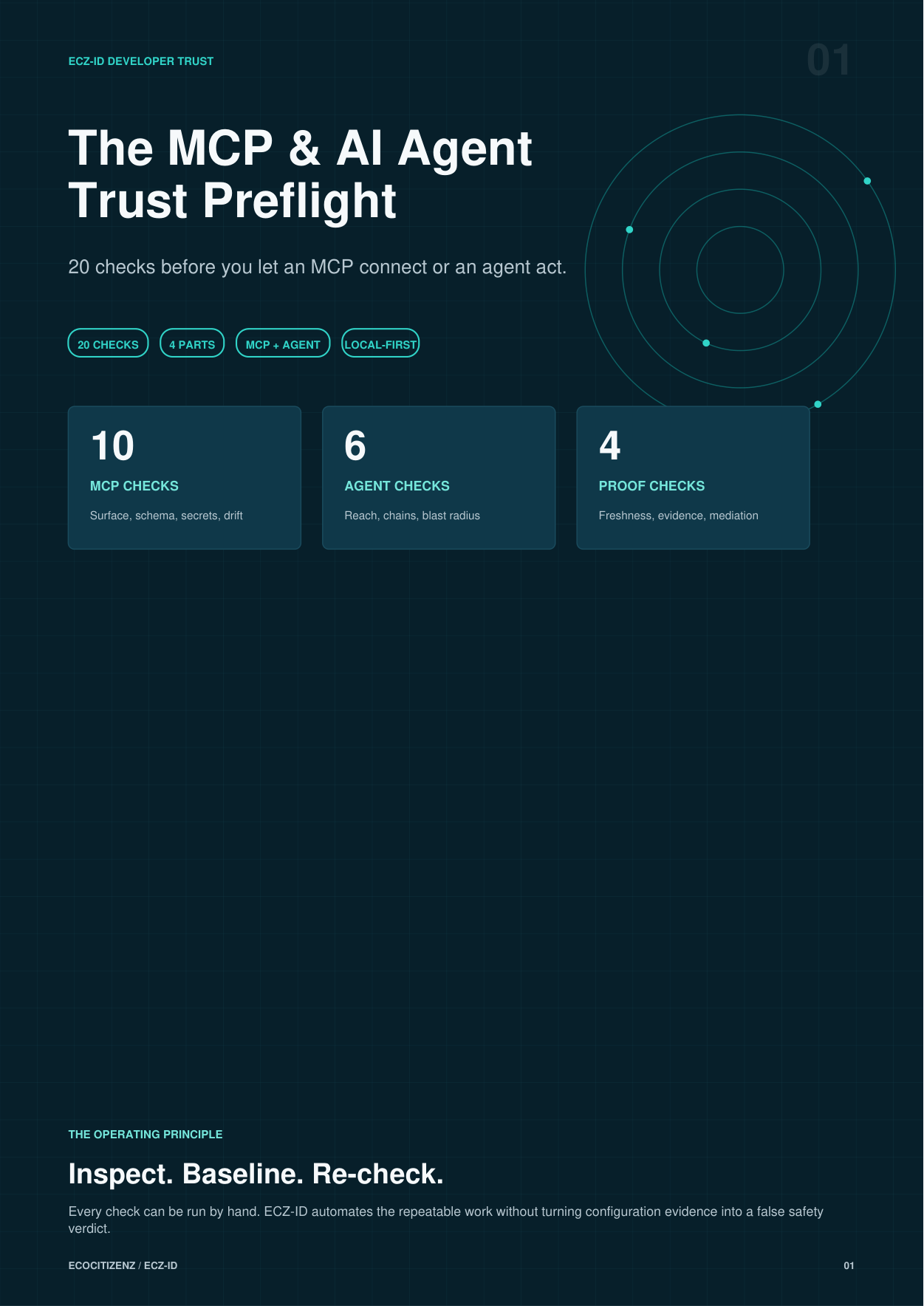
Free resource · 10 pages · no email required
Free MCP & AI Agent Trust Preflight
Know what an agent can reach before it acts. 20 checks in one vendor-neutral PDF: 6 on agent reach, chains and blast radius, 10 on the MCP servers beside it, and 4 on proof and mediation, the review worth doing before you grant an agent access.
Runs with or without our extensions. Nothing to sign up for.
Questions
Before you install.
Does it run or call my agents?
No. It inspects local files only and never executes an agent, tool or webhook. Coverage is OBSERVED locally / UNMANAGED — Agent Trust does not mediate or enforce runtime agent execution.
Is the Authority Graph inferred or invented?
Neither. Every node and edge comes from deterministic discovered evidence and carries its source. An agent-to-MCP edge is drawn only when the agent’s declared server name also appears in the workspace MCP inventory. No trust score is computed.
Does a dangerous action chain mean my agent is malicious?
No. Chains are risk indicators derived from declared configuration, each shown with its nodes, edges, reason and source evidence so you can judge for yourself. They never declare an agent unsafe or malicious.
Is the free version time-limited or a trial?
No. Community is free permanently and needs no account. Pro adds to Community; it never removes anything. If a Pro subscription lapses, only the Pro features deactivate and your locally retained history stays where it is.
Does any of my code or configuration get uploaded?
No. No source, prompts, tool arguments, tool results or secret values are uploaded, and there is no telemetry. Community makes no background outbound requests; links you choose open in your browser. If you start the Pro Local Trust Gate, it binds to 127.0.0.1 and talks only to the MCP upstream you already configured. Results carry names, counts, states and local fingerprints only.
Does it read my environment variable values?
Never. Environment variable NAMES are inventoried so you can review intended exposure; values are not read into results, displayed, retained or transmitted. The posture fingerprint is deliberately invariant to secret rotation.
I already paid. How do I turn Pro on?
Use the activation page and paste the licence from your order confirmation. The bundle licence activates both extensions. Activation is verified locally with asymmetric cryptography and the token is never displayed or transmitted.
Can I cancel?
Yes, at any time, from your account. Checkout and billing are handled by Shopify; this site runs no checkout of its own.
ECZ-ID also publishes agent identity infrastructure — Agent Credential and KYA and the API Passport. Those are separate products; they are not what this extension does.
Free · no purchase needed
Operate an MCP server or an agent? Give it an ECZ-ID Passport.
The extensions inspect systems from the outside — the position you are in when you consume someone else's server or agent. If you operate one, you are on the other side of that question, and the people evaluating you want something they can check without asking you. An ECZ-ID Passport establishes a reusable identity with a public presence on the Resolver.
- Free, non-sellable, and needs only a DECLARED Parent
- A reusable machine-readable identity, not a one-off badge
- Public, read-only Resolver presence others can check
Passport issuance is an ECZ-ID platform service, not a function of the VS Code extensions. The extensions inspect and route; they never issue proof themselves.
The ECZ-ID estate
These extensions are one surface of a machine-trust infrastructure layer.
Identity, public proof and verifiable posture for the systems that now call each other without a human in the loop.