
ECZ-ID MCP Trust · VS Code
See what your MCP can do.See what changed.Protect the ones that matter.
A free, local-first VS Code extension that inventories every MCP server your workspace declares — transports, commands, environment key names, sandbox posture — and tells you exactly what changed since your last scan. Nothing leaves your machine.
Free forever, no account. Also on Open VSX · Already purchased? Activate
Local-first visibility. No sign-in.
or £119/year. History, deeper analysis, optional local gate.
Developer Trust Pro — MCP + Agent — £19.99/month or £199/year. Compare →
The problem
Configuration is readable. Reach is not.
Everything below is visible in principle and invisible in practice, because nothing in the editor puts it in one place.
You cannot see what a server declares
An MCP entry is a command, some args and an env block. Nothing in your editor tells you which credential-shaped variables it will be handed, or whether it reaches a remote endpoint.
Servers change under you
A tool set can change shape between one session and the next. Without a baseline there is nothing to compare against, so a quiet change looks identical to no change at all.
Review does not survive contact with runtime
Reading a config tells you what was declared. It does not tell you what a session actually did. Inspection alone can never report enforcement honestly.
What you get back
A per-server X-Ray, in plain English.
One command inventories every MCP server your workspace declares. There is no score and no pass/fail — you get the evidence and your local policy decides.
- Local MCP discovery & inventory. Finds MCP server configurations in your workspace (including .vscode/mcp.json, .mcp.json and .mcp/) and inventories them per server.
- Configuration posture. Shows declared transport (STDIO / HTTP), command basename, and argument shape — names and counts only.
- Environment key-name exposure. Lists environment variable NAMES a server declares. Values are never read into results, displayed, retained, or transmitted.
- Credential-shaped name warnings. Flags environment key names that look credential-shaped so you can review intended exposure.
- Sanitised remote endpoint. Shows a remote endpoint with credentials, query and fragment stripped.
- Privacy-safe fingerprint. A local posture fingerprint (SHA-256) that is invariant to secret-value rotation.
MCP X-RAY  -  ECZ-ID MCP Trust
Server: github
  Source ............ .vscode/mcp.json
  Transport ......... HTTP - declared
  Remote ............ https://api.example.com/mcp (credentials/query omitted)
  Environment keys .. 2 detected; 1 credential-shaped name
  Sandbox ........... not declared
  Fingerprint ....... a1b2c3d4e5f6 (local posture fingerprint)
  Change ............ unchanged since previous local scan
Coverage: OBSERVED / UNMANAGED
Verbatim output from the shipped 0.4.2 extension. Secret values are never displayed, retained, fingerprinted, reported or transmitted.
In under a minute
Install, scan, re-scan.
No account, no project setup, no configuration file to write first.
- 1
Install and open your project
Install free from VS Marketplace or Open VSX, open a workspace and trust it. There is no sign-in and no account.
- 2
Run Check MCP Trust
One command inventories every MCP server your workspace declares and prints the per-server X-Ray, in plain English, with no verdict.
- 3
Re-scan and read the diff
The first scan records one local baseline. Every scan after it tells you exactly what changed — servers, transport, argument shape, environment key names, endpoints.
MCP Trust Pro
Runtime-aware protection, still entirely local.
Community shows you the current picture. Pro keeps the history, inspects each tool more deeply, and can put a gate you control in front of a server.
Trust Epochs
full baseline history, compare any two scans, and set your own retention (Community keeps one baseline)
Advanced Tool X-Ray
per-tool inspection of declared capability and schema, so a tool that quietly changes shape is visible
Secret Shield preview
see which credential-shaped environment names a server would be handed before you connect it
Local Trust Gate
optionally run a local gate in front of an MCP server and verify its mediation with a live proof
Remediation
preview a change, apply it, and roll it back, with the diff shown first
Local evidence reports you can export and keep
Free vs Pro
Pro adds. It never takes anything away.
If a Pro subscription lapses, only the Pro features deactivate — Community keeps working and your locally retained history stays.
| Capability | Community | MCP Trust Pro |
|---|---|---|
| MCP server discovery and inventory | Full | Full |
| Environment key NAMES + credential-shaped warnings | Full | Full |
| Sanitised remote endpoint and posture fingerprint | Full | Full |
| Change since your previous scan | One baseline | Full history, compare any two |
| Retention you control | — | Yes |
| Advanced Tool X-Ray (declared capability and schema) | — | Yes |
| Secret Shield preview before you connect | — | Yes |
| Local Trust Gate with live mediation proof | — | Yes |
| Remediation with diff, apply and rollback | — | Yes |
| Exportable local evidence reports | — | Yes |
| Runs with no account, no telemetry, nothing uploaded | Always | Always |
Plans
Start free. Upgrade when history matters.
MCP Trust Community
- •Local MCP discovery & inventory
- •Configuration posture
- •Environment key-name exposure
- •Credential-shaped name warnings
- •Sanitised remote endpoint
MCP Trust Pro
- •Everything in Community
- •Trust Epochs — full baseline history, compare any two scans, and set your own retention (Community keeps one baseline)
- •Advanced Tool X-Ray — per-tool inspection of declared capability and schema, so a tool that quietly changes shape is visible
- •Secret Shield preview — see which credential-shaped environment names a server would be handed before you connect it
- •Local Trust Gate — optionally run a local gate in front of an MCP server and verify its mediation with a live proof
- •Remediation — preview a change, apply it, and roll it back, with the diff shown first
- •Local evidence reports you can export and keep
Secure checkout by Shopify. Cancel any time. Already purchased? Activate here.
ECZ-ID MCP Trust 0.4.2 is published on both registries. Install free, in your editor or from the web.
Activate the licence from your order confirmation. A Developer Trust Pro bundle key turns on both extensions.
Activate your purchase →Developer Trust Pro covers MCP Trust Pro and Agent Trust Pro on one licence key — £19.99/month or £199/year, less than the two Pro plans separately.
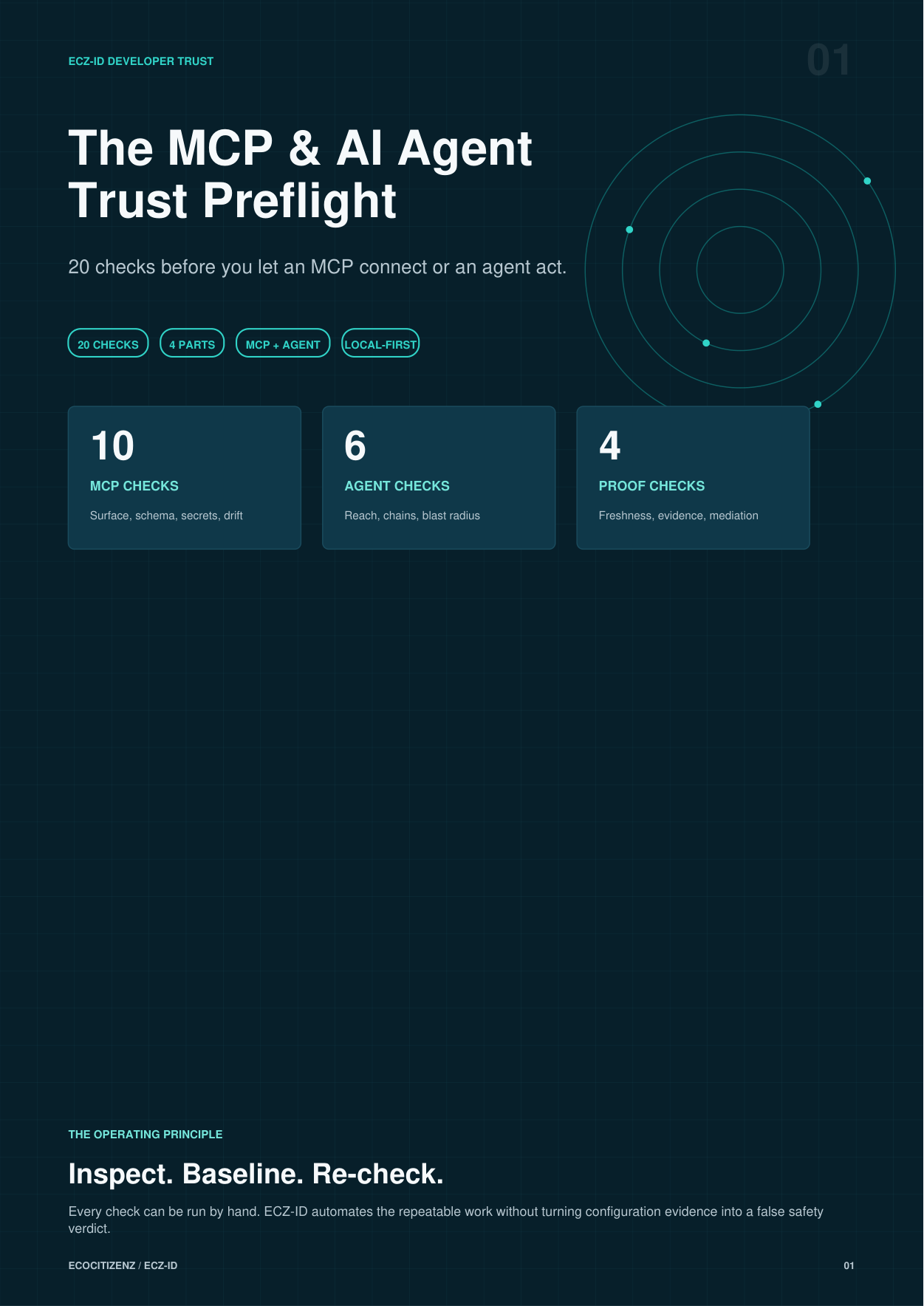
Free resource · 10 pages · no email required
Free MCP Trust Preflight
20 checks before you connect a server. A practical, vendor-neutral checklist covering transports, credential exposure, argument shape, sandbox declarations, change review and the questions worth asking before an MCP server joins your workspace.
Runs with or without our extensions. Nothing to sign up for.
Questions
Before you install.
Does it connect to or run my MCP servers?
Community: no. Inventory comes from configuration files only — it never starts a process, never connects to a server and never makes a tool call, and coverage is always labelled OBSERVED / UNMANAGED. Pro: only if you explicitly start the Local Trust Gate, which binds a 127.0.0.1 endpoint or spawns a local wrapper and relays that session to the upstream server you already configured.
When does coverage say ENFORCED?
Only while a live local gate session is genuinely mediating that server, evidenced by a live mediation proof. A stopped, dead, stale or mismatched gate reads OBSERVED. Inspection alone can never produce ENFORCED.
Is this a certification or an approval?
No. It surfaces posture and shows you the evidence behind it. There is no pass/fail. Your local policy decides what is sufficient, and you should re-check before reliance.
Is the free version time-limited or a trial?
No. Community is free permanently and needs no account. Pro adds to Community; it never removes anything. If a Pro subscription lapses, only the Pro features deactivate and your locally retained history stays where it is.
Does any of my code or configuration get uploaded?
No. No source, prompts, tool arguments, tool results or secret values leave your machine, and there is no telemetry. Results carry names, counts, states and local fingerprints only.
Does it read my environment variable values?
Never. Environment variable NAMES are inventoried so you can review intended exposure; values are not read into results, displayed, retained or transmitted. The posture fingerprint is deliberately invariant to secret rotation.
I already paid. How do I turn Pro on?
Use the activation page and paste the licence from your order confirmation. The bundle licence activates both extensions. Activation is verified locally with asymmetric cryptography and the token is never displayed or transmitted.
Can I cancel?
Yes, at any time, from your account. Checkout and billing are handled by Shopify; this site runs no checkout of its own.
Need a human-led review instead of a tool? MCP Readiness Audit (£395) and MCP Assurance are separate services — they are not what this extension does.